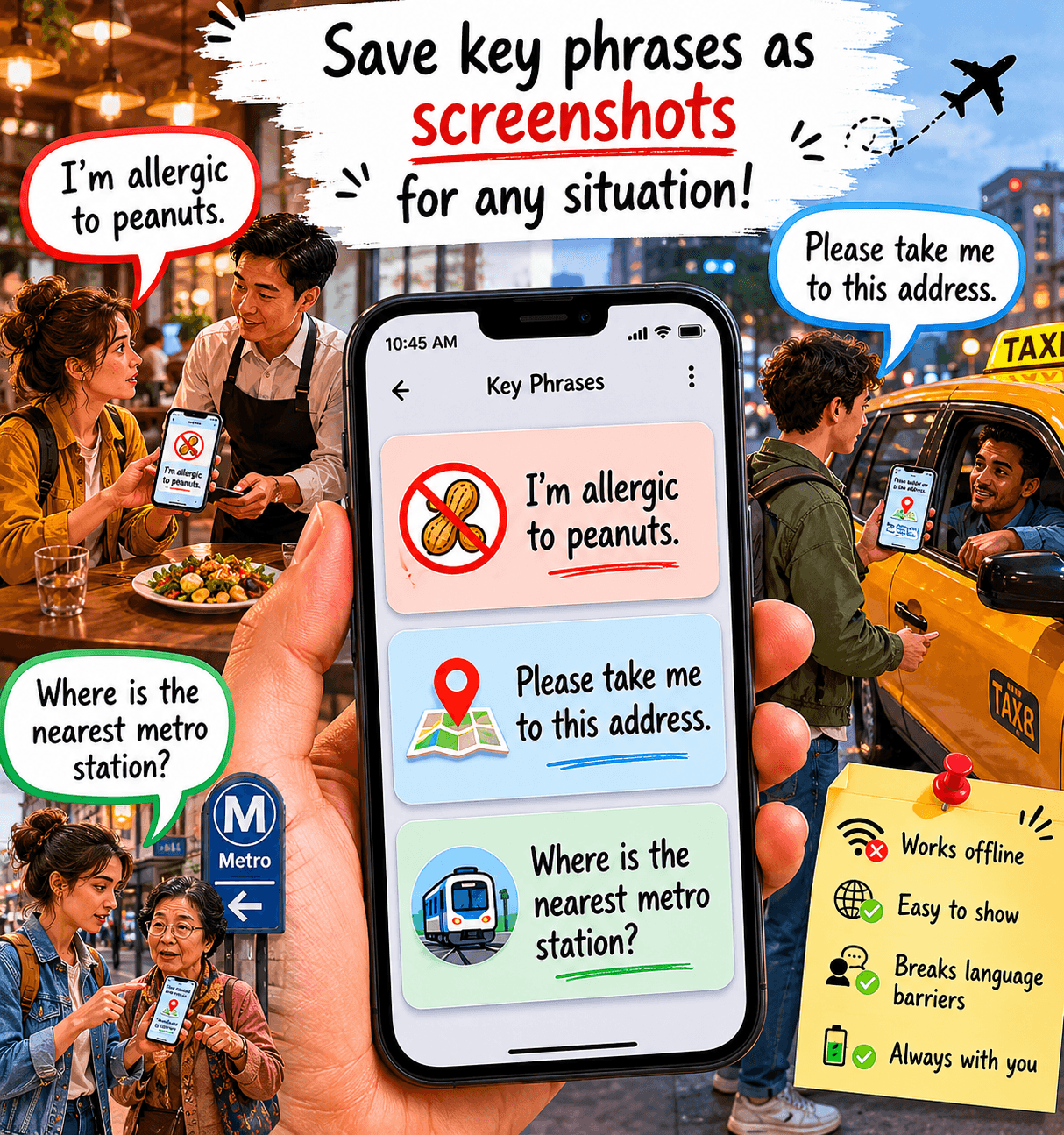
Learn the exact sequence for downloading and configuring the apps you need to pay, navigate, and communicate in China. This step-by-step guide turns your phone into a functional travel tool before you step outside.
TL;DR
- Your phone is your entire travel infrastructure in China — It replaces your wallet, map, translator, and transit pass. Without the right apps, you can’t pay, navigate, or communicate effectively.
- Set up Alipay first — Mobile payment is the foundation everything else depends on. Link an international card, complete identity verification, and test it before you leave the hotel.
- Use Amap instead of Google Maps — Google Maps doesn’t work in China. Amap provides accurate navigation, transit routing, and ride-hailing integration with English language support.
- Install WeChat, a translation app, and Didi — WeChat is your communication lifeline, translation apps make menus and signs readable, and Didi is the only practical way to hail a car in most cities.
- Test everything in the hotel before you go outside — Thirty minutes of setup on hotel Wi-Fi prevents hours of frustration on the street. Fix problems where there’s no time pressure and help is available.
Guide Orientation: What This Covers and Who It’s For
This guide walks you through setting up a fully functional phone before you leave your hotel room in China. By “functional,” we mean a device that lets you pay for street food, hail a taxi, ride the metro, translate a menu, and navigate without Google Maps. All before you step outside.
It’s written for first-time visitors to China (typically from North America or Europe) who are used to relying on credit cards, Google, and English signage. If that describes you, this is your pre-departure checklist for the digital side of travel.
By the end, you’ll have a clear sequence for downloading, configuring, and testing the specific apps that replace your usual infrastructure. We won’t cover visa logistics, packing lists, or cultural etiquette. This is purely about making your phone work the way China expects it to.
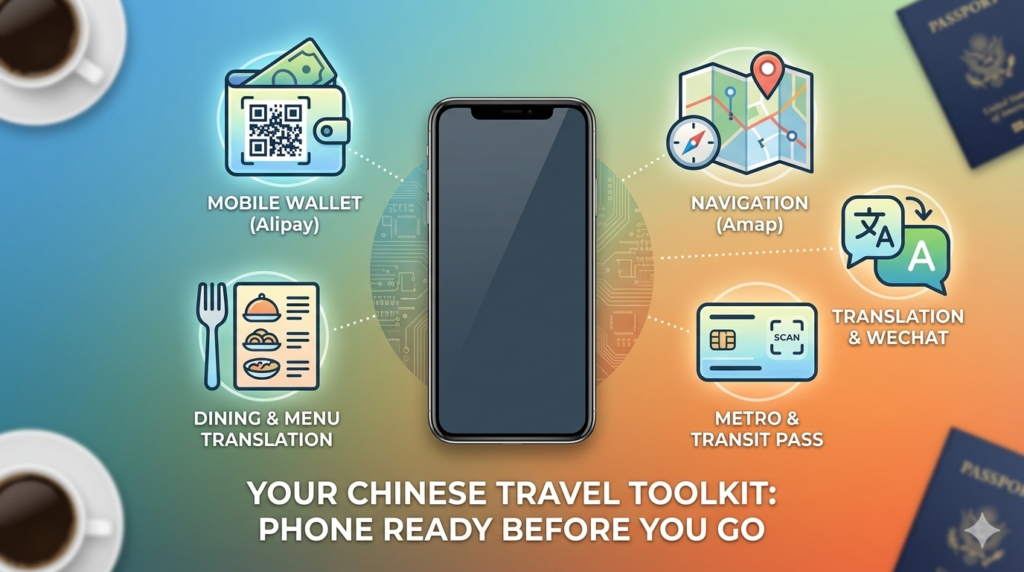
Core Concepts: How China’s Digital Ecosystem Differs From What You Know
The Cashless Reality
China effectively skipped the credit card era and jumped straight to mobile payments. Alipay and WeChat Pay are how people buy everything, from high-speed rail tickets to a bottle of water at a convenience store. Foreign credit cards work at some international hotels and luxury retailers, but they’re useless at the vast majority of places you’ll actually want to go.
The Great Firewall
Google, Facebook, Instagram, WhatsApp, and most Western apps are blocked in China. This isn’t a glitch or a slow connection. They simply don’t work. If your navigation strategy is “I’ll just use Google Maps,” you have no navigation strategy. A VPN can restore access to some services, but it’s unreliable and slow. The better approach is to use the Chinese apps that actually work natively.
The Key Distinction
Think of your phone in China not as a helpful accessory but as your wallet, your map, your translator, and your transit pass combined into one device. If your phone isn’t set up, you’re functionally stranded, even in a city of 20 million people.
The Framework: Five Layers of Phone Functionality
Setting up your phone for China follows a logical sequence. Each layer depends on the one before it, so the order matters. Skipping ahead creates gaps that are hard to fix once you’re out in the city.
- Layer 1: Connectivity — Establish a working internet connection that functions inside China.
- Layer 2: Payment — Set up mobile payment so you can actually buy things.
- Layer 3: Navigation — Install mapping and transit apps that work behind the Great Firewall.
- Layer 4: Communication — Configure translation and messaging tools for language barriers.
- Layer 5: Verification — Test everything in the hotel before you depend on it outside.
Each layer takes roughly 5 to 15 minutes. The entire process fits inside a single hotel session, ideally the evening you arrive or the morning before your first full day.
Step-by-Step Breakdown: Building Your Functional Phone
Step 1: Secure Your Internet Connection
Objective: Have reliable mobile internet that works on Chinese networks without depending on a VPN for essential tasks.
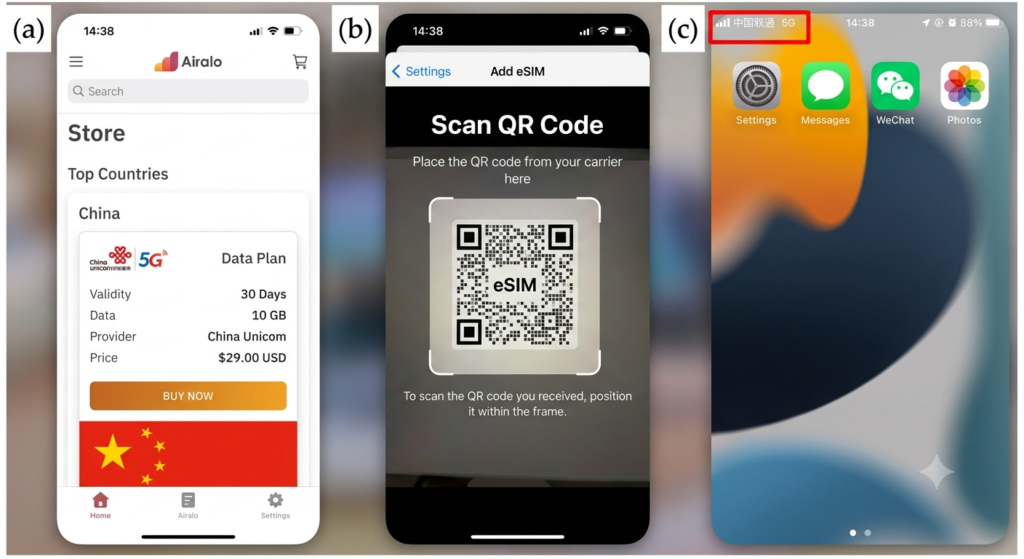
Your first decision is whether to use a local SIM card, an eSIM, or your home carrier’s international roaming plan.
- Local SIM cards (from China Mobile, China Unicom, or China Telecom) offer the best speeds and reliability but require your passport to purchase. You can buy them at airport kiosks or carrier stores near your hotel.
- eSIMs from providers like Airalo or Nomad are convenient because you can activate them before landing, but check that your phone model supports eSIM.
- International roaming from your home carrier technically works but tends to be expensive and sometimes routes traffic in ways that trigger the Great Firewall unpredictably. It’s a backup, not a primary strategy.
If you want access to Google, WhatsApp, or Instagram during your trip, install and configure a VPN before you arrive in China. VPN apps are difficult or impossible to download once you’re behind the Firewall. But understand that VPNs are often slow and unreliable in China. Your core travel apps (Alipay, WeChat, Amap) don’t need a VPN, which is exactly why this guide prioritizes them.
Anti-patterns: Don’t assume hotel Wi-Fi alone will carry you through the trip. It won’t work once you leave the building. Don’t wait until you’re standing in a metro station to realize you have no data connection.
Success indicators: You can load a Chinese website (like baidu.com) on mobile data outside of Wi-Fi. Your connection is stable enough to load a map.
Step 2: Set Up Mobile Payment With Alipay or WeChat Pay
Objective: Be able to scan a QR code and pay for goods and services at any vendor in China.
- This is the single most important step. Without mobile payment, you cannot buy food at most restaurants, pay for metro rides in many cities, or purchase anything from street vendors. China’s economy has moved so far toward cashless transactions that some vendors literally cannot make change for paper currency.
- Start with Alipay . Download the international version, which now allows foreign visitors to link a Visa, Mastercard, or other international credit or debit card directly. The setup process asks for your passport information and card details. Follow the verification steps carefully.
WeChat Pay offers similar functionality through its Mini Program for international cards, but Alipay tends to be more straightforward for first-time visitors. - The app will show you a QR code that vendors scan, or you’ll scan their QR code, depending on the setup. Both methods take about two seconds once configured.
Anti-patterns: Don’t assume you can “just use cash.” While cash is technically legal tender, many vendors, especially in tier-1 cities like Shanghai and Shenzhen, are not set up to handle it smoothly. Don’t skip the identity verification steps in Alipay; incomplete verification limits your transaction amounts severely.
Success indicators: You can open Alipay, see your payment QR code, and confirm your linked card shows a usable balance. Test by purchasing a bottle of water at the hotel convenience store or lobby shop if one is available.
Step 3: Install Navigation That Actually Works in China
Objective: Be able to search for destinations, get walking and transit directions, and find nearby services without Google Maps.
- Google Maps is essentially non-functional in mainland China. Even with a VPN, map data is offset (GPS coordinates are deliberately shifted on non-Chinese mapping platforms), making navigation unreliable and sometimes dangerously wrong.
- Your primary navigation app should be Amap (Gaode Maps) , which is China’s most widely used mapping platform. It provides accurate transit routing, walking directions, real-time traffic, and integrated ride-hailing. The interface has an English language option that covers most essential functions, though some details remain in Chinese.
Apple Maps also uses Chinese mapping data and works reasonably well for basic navigation if you’re on an iPhone, but Amap is more comprehensive for transit planning. - Download the app, set the language to English, and search for your hotel’s address to confirm it locates you correctly. Then search for a nearby metro station and a well-known landmark to verify that directions render properly.
Anti-patterns: Don’t rely on a single mapping app. Have Amap as your primary and Apple Maps (or Baidu Maps) as a backup. Don’t assume addresses you’ve saved in Google Maps will transfer cleanly; re-enter your key destinations in Amap directly.
Success indicators: You can search for your hotel by name, see your current location accurately on the map, and get transit directions to at least two destinations you plan to visit.
Step 4: Configure Translation and Communication Tools
Objective: Be able to read Chinese text (menus, signs, notices) and communicate basic needs despite the language barrier.
- Download the Google Translate app and pre-download the Chinese language pack for offline use before you arrive (or on hotel Wi-Fi using a VPN, since Google services require one). The camera translation feature, where you point your phone at Chinese text and see an English overlay, is genuinely useful for menus, signs, and metro station names. It’s not perfect, but it transforms an unreadable wall of characters into something you can act on.
- As a backup (or primary if you prefer to avoid VPN dependency), install a translation app that works natively in China. Microsoft Translator and Baidu Translate both function without a VPN. Baidu Translate is particularly good for Chinese-specific context.
- For messaging, WeChat is non-negotiable. It’s China’s WhatsApp, Facebook, and Venmo rolled into one. Hotels, tour operators, and even some restaurants communicate through WeChat. Download it, create an account, and add your hotel’s front desk if they offer a WeChat contact. This becomes your lifeline for asking questions, getting recommendations, and resolving problems.
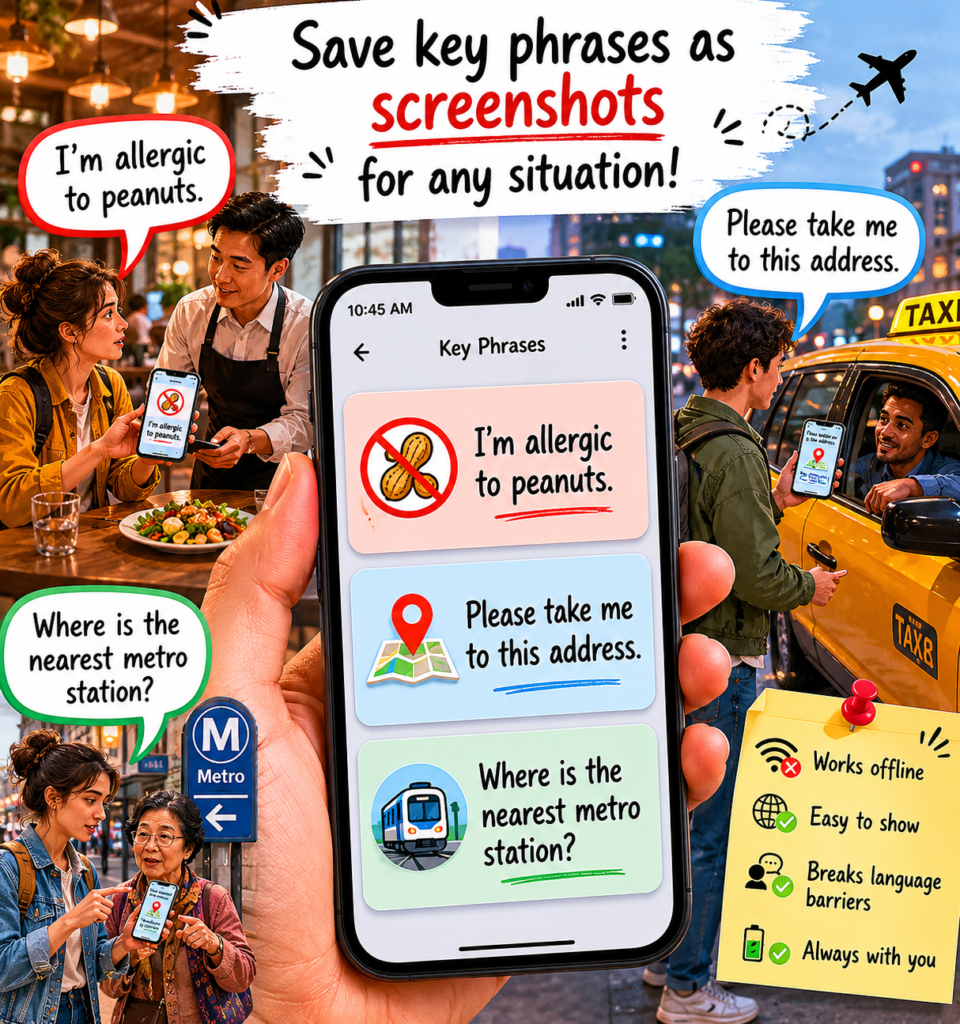
- Save key phrases as screenshots on your phone for situations where even the app fails: “I’m allergic to peanuts,” “Please take me to this address,” “Where is the nearest metro station?” Having these as images means you can show them to anyone, even without an internet connection.
Anti-patterns: Don’t assume you’ll “figure out the language barrier when you get there.” Even basic transactions (ordering food, asking for directions) become exhausting without translation tools. Don’t forget to download offline language packs; your data connection may be spotty underground or in rural areas.
Success indicators: You can point your phone camera at Chinese text and get a usable English translation. You have a working WeChat account. You have offline translation capability.
Step 5: Set Up Transit and Ride-Hailing Apps
Objective: Be able to ride the metro and hail a car without standing on a street corner hoping for the best.
- China’s metro systems are excellent, clean, fast, and affordable, but they require a bit of setup for foreigners. Many cities now allow you to pay for metro rides using Alipay’s transit QR code . Open Alipay, search for the transit mini-program for your specific city (for example, “Shanghai Metro” or “Beijing Subway”), authorize it, and you’ll get a scannable QR code that works at turnstiles. This eliminates the need to figure out ticket machines with Chinese-only interfaces.
- For taxis and ride-hailing, Didi is China’s equivalent of Uber. You can find this program in Alipay. Didi lets you enter destinations in English (it translates them for the driver), which solves the problem of trying to pronounce Chinese addresses to a driver who speaks no English.
- If you’re planning intercity travel, consider downloading Trip.com or 12306 for high-speed rail tickets. China’s rail network is one of the most extensive in the world, and booking through an app with English support saves significant time and confusion at station counters.Foreign passport holders need to have their passports verified in person before they can purchase tickets online through 12306. A more practical suggestion is to use Trip.com to purchase tickets or allow time for verification at the station ticket window.
Anti-patterns: Don’t try to hail taxis on the street in major cities during peak hours. Most drivers are already committed to app-based fares. Don’t forget to enable location permissions for Didi and Amap; without GPS access, neither app can function.
Success indicators: Your Alipay transit QR code is activated for the city you’re in. You can open Didi, enter a destination, and see estimated fares and arrival times. You understand the basic metro map for your city.
Step 6: Test Everything Before You Leave the Hotel
Objective: Confirm that every app works, every payment method is verified, and every tool is functional in a low-stakes environment.
- This step is the one most travelers skip, and it’s the one that saves the most frustration. Sit on your hotel bed and run through a complete dry run. Open Alipay and confirm your QR code displays. Open Amap and get directions from your hotel to a nearby attraction. Open Didi and start (but don’t confirm) a ride request to see if the app locates you correctly. Open your translation app and scan some Chinese text (the hotel’s welcome materials work perfectly for this).
- If anything fails, you’re in the best possible place to fix it: a hotel with Wi-Fi, a front desk that may speak some English, and no time pressure. Resources like ChinaTravelMag offer detailed walkthroughs for each of these apps if you hit a specific snag during setup.
- Charge your phone to 100% and bring a portable battery pack. Your phone is now your wallet, map, translator, and transit pass. If it dies, you’re back to square one.
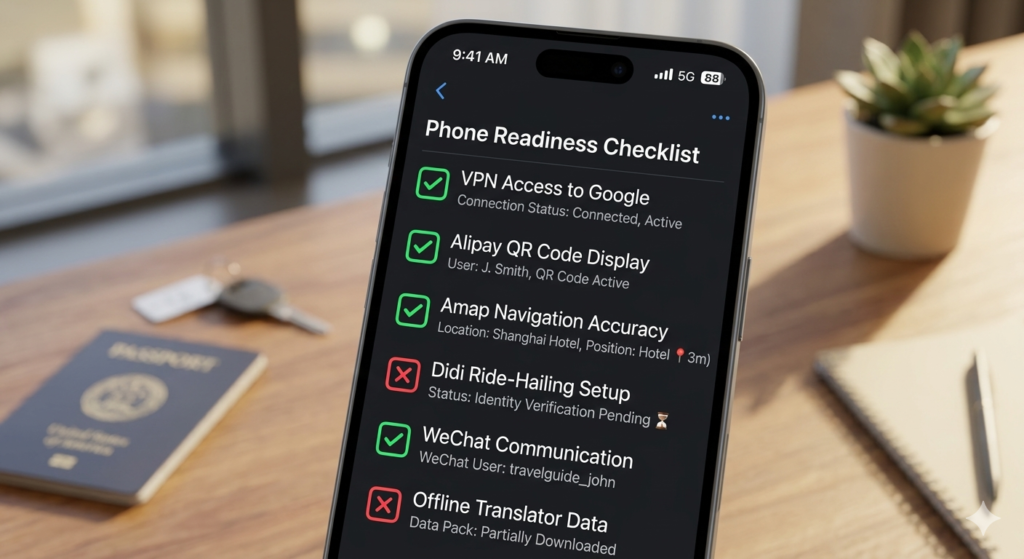
Anti-patterns: Don’t assume that because an app downloaded successfully, it’s fully configured. Payment verification, location permissions, and language settings all need explicit confirmation. Don’t leave the hotel with less than 80% battery.
Success indicators: Every app opens without errors. Payment QR codes display. Navigation shows your correct location. Translation works on live text. Your phone is fully charged and you have a backup battery.
Common Mistakes and Pitfalls
- Assuming China works like other Asian destinations. If you’ve traveled in Japan, Thailand, or South Korea, you might expect credit cards to work at major venues and Google Maps to function. China’s digital ecosystem is fundamentally different. Treat it as a unique environment, not a variation on a familiar one.
- Over-relying on a VPN. VPNs in China are slow, unreliable, and sometimes stop working entirely for days. Build your core toolkit around apps that work natively (Alipay, WeChat, Amap, Didi) and treat VPN access to Google services as a bonus, not a foundation.
- Not verifying Alipay before you need it. The identity verification process sometimes takes hours or requires a second attempt. If you first try to set up Alipay while standing in line at a street food stall, you’re already too late.
- Forgetting battery management. When your phone is your entire travel infrastructure, a dead battery is an emergency. Carry a power bank. Always.
- Downloading apps after arrival without preparation. Some app stores behave differently behind the Great Firewall. Download everything you need before you land or immediately on hotel Wi-Fi.